ThoughtSpot Admin Toolkit

A local web app for ThoughtSpot admins

Clean up ThoughtSpot
without writing a script.

Find stale content, clean up leavers, and see what depends on what. The toolkit caches your instance's users, groups and content so you can browse instantly, then runs bulk changes with a dry-run preview and a TML backup first.

For ThoughtSpot Cloud or Software. No Python or Node.js needed.
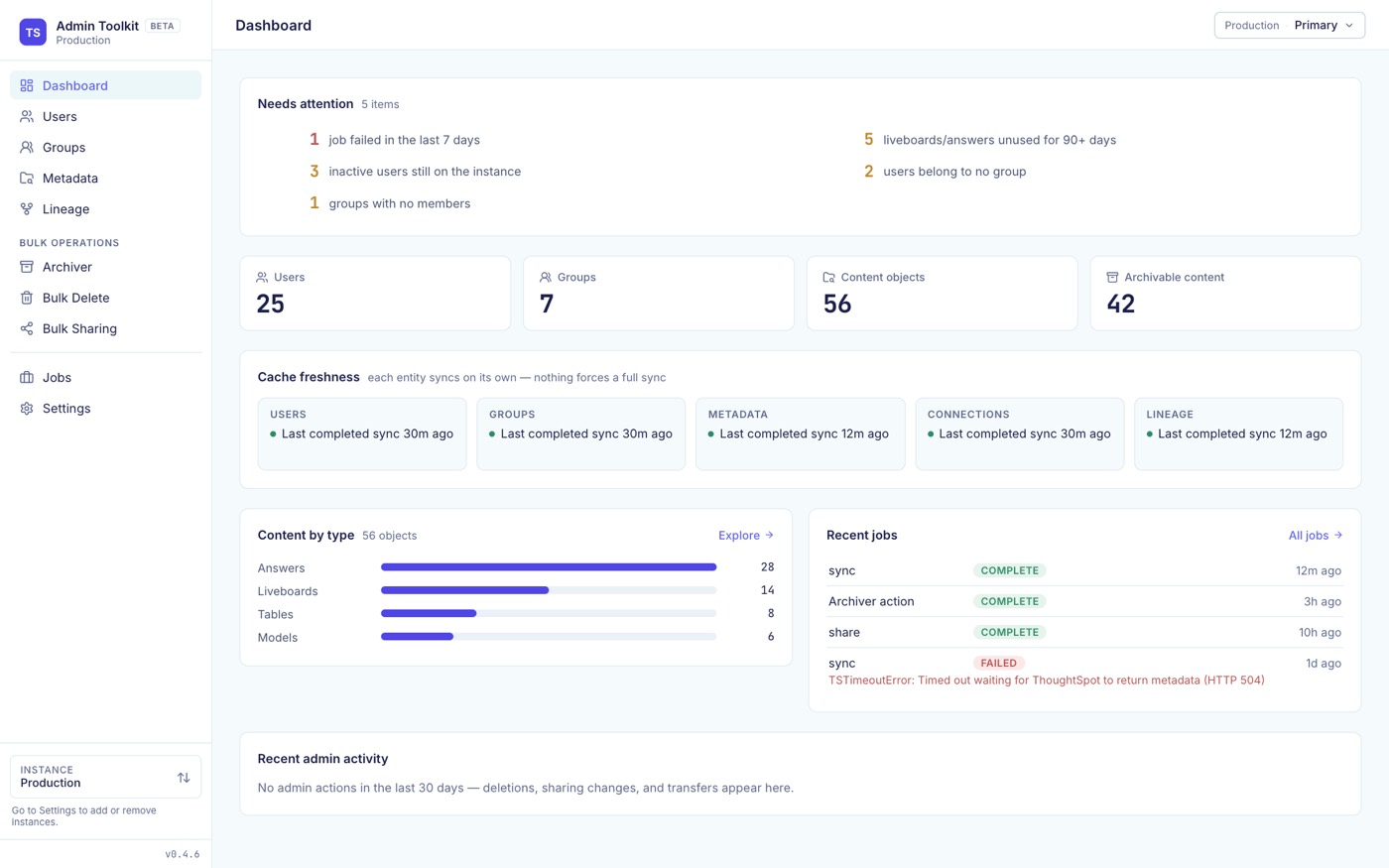
The Dashboard: what needs attention, user, group and content totals, cache freshness per entity, content by type and recent jobs
1 commandto install; it brings its own Python
3 platformsmacOS, Linux and Windows
3 sign-insBasic, Trusted Auth or Bearer token
127.0.0.1runs on your machine only, never exposed

Get started in three steps.

You need a ThoughtSpot login with the ADMINISTRATION privilege. Everything after the install happens in the browser.

Install

curl -LsSf https://raw.githubusercontent.com/BibekTS/thoughtspot-admin-toolkit/main/install.sh | sh

Installs into its own isolated environment. Re-run it to upgrade. Behind a corporate proxy? See the certificate fix.

Open the app

ts-admin-toolkit serve

Opens http://localhost:8080 in your browser. Keep the terminal open while you use it.

Connect your instance

Enter your ThoughtSpot URL, pick a sign-in method and click Test connection.

BasicTrusted AuthBearer token

Credentials go to your OS keychain. Then sync each section on its own; nothing forces a full sync.

What you can do.

Browse from a local cache, then act in bulk. Every sync and bulk operation runs as a tracked background job with live progress.
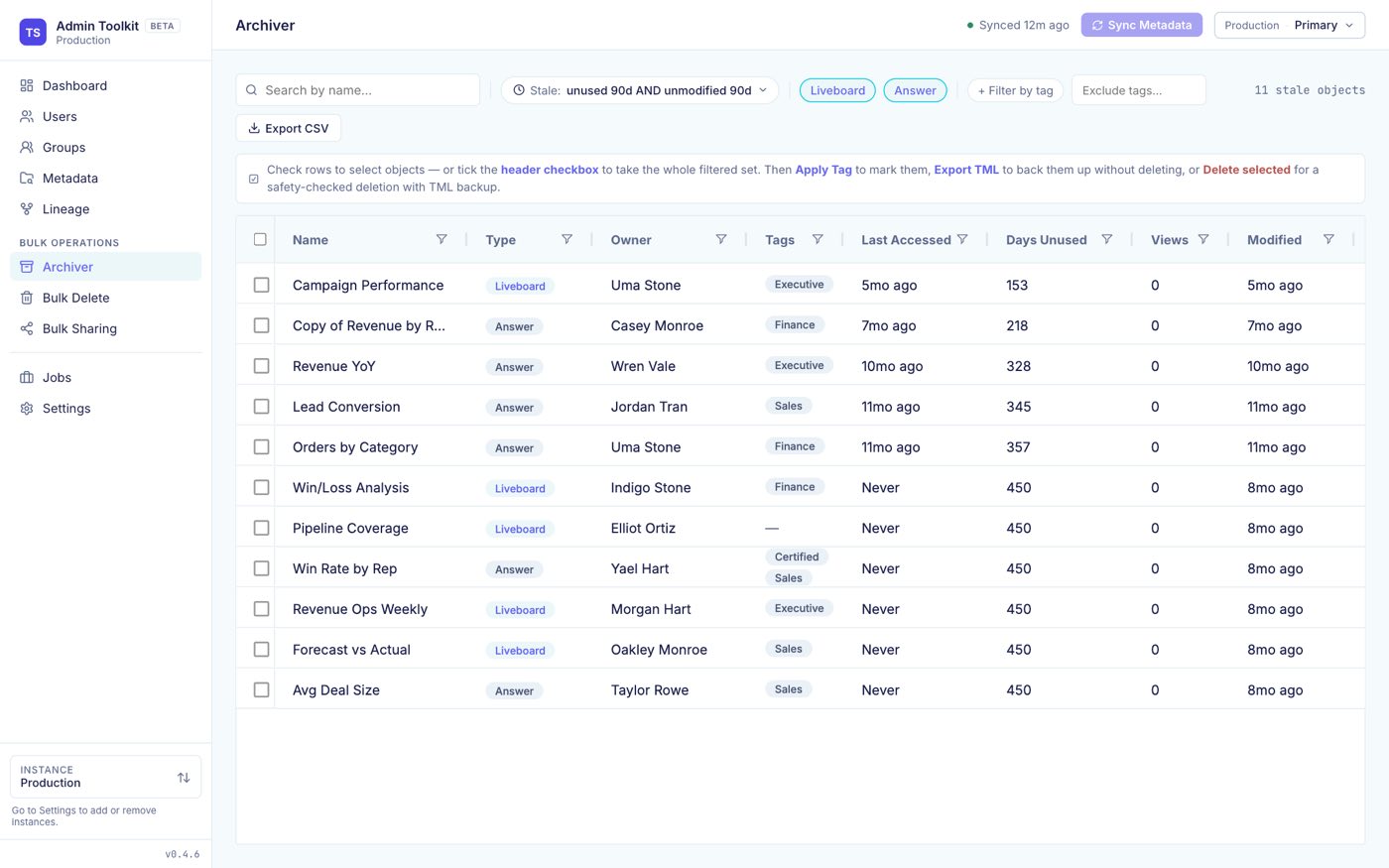
Archiver: liveboards and answers unused for 90 days, with owner, tags, days unused and views
ArchiverFind stale liveboards and answers, tag them, delete with a TML backup, and restore from History.
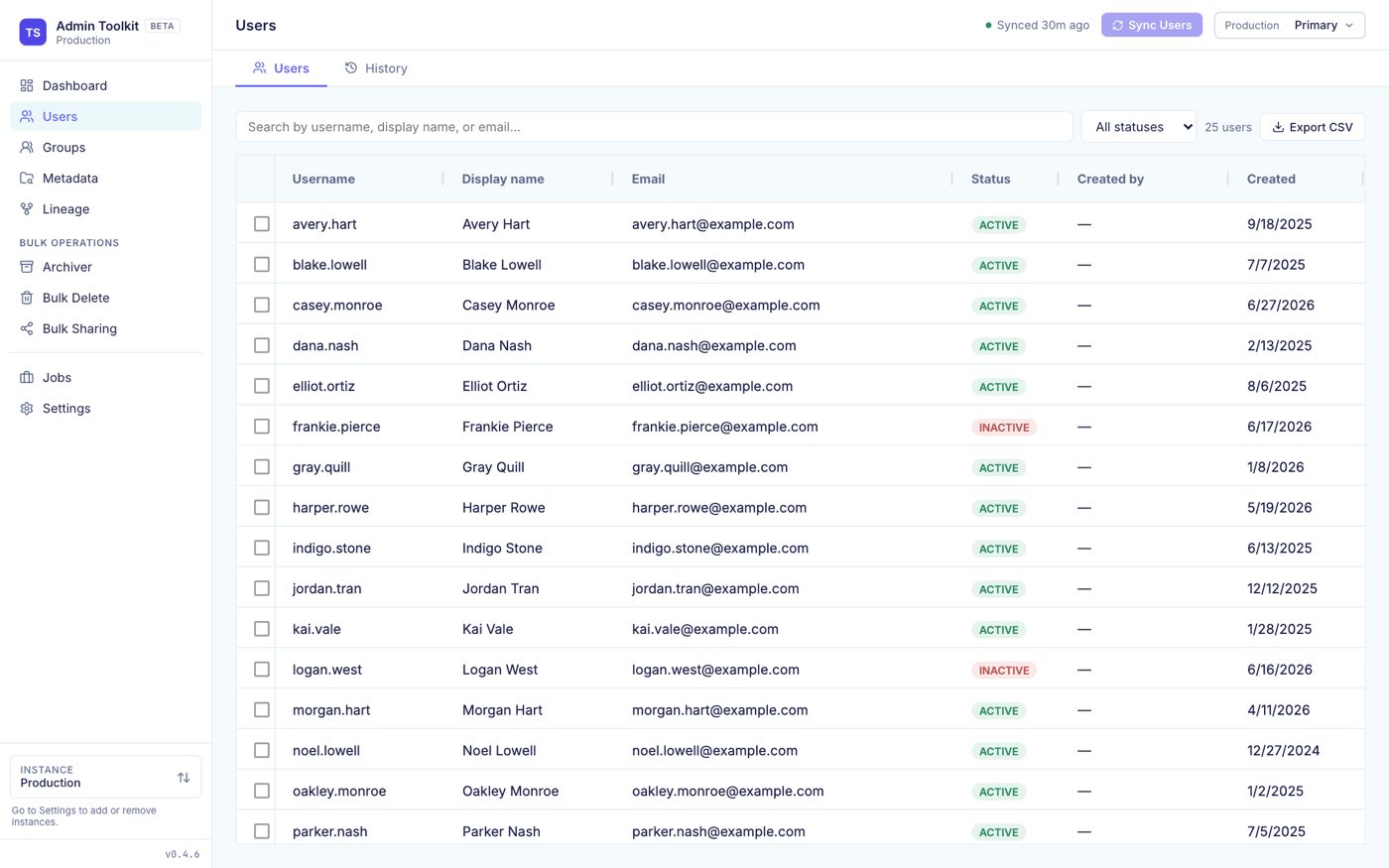
Users: a searchable grid of users with status, creator and created date
UsersTransfer ownership, transfer sharing and bulk delete leavers. A drawer shows each user's groups and effective privileges.
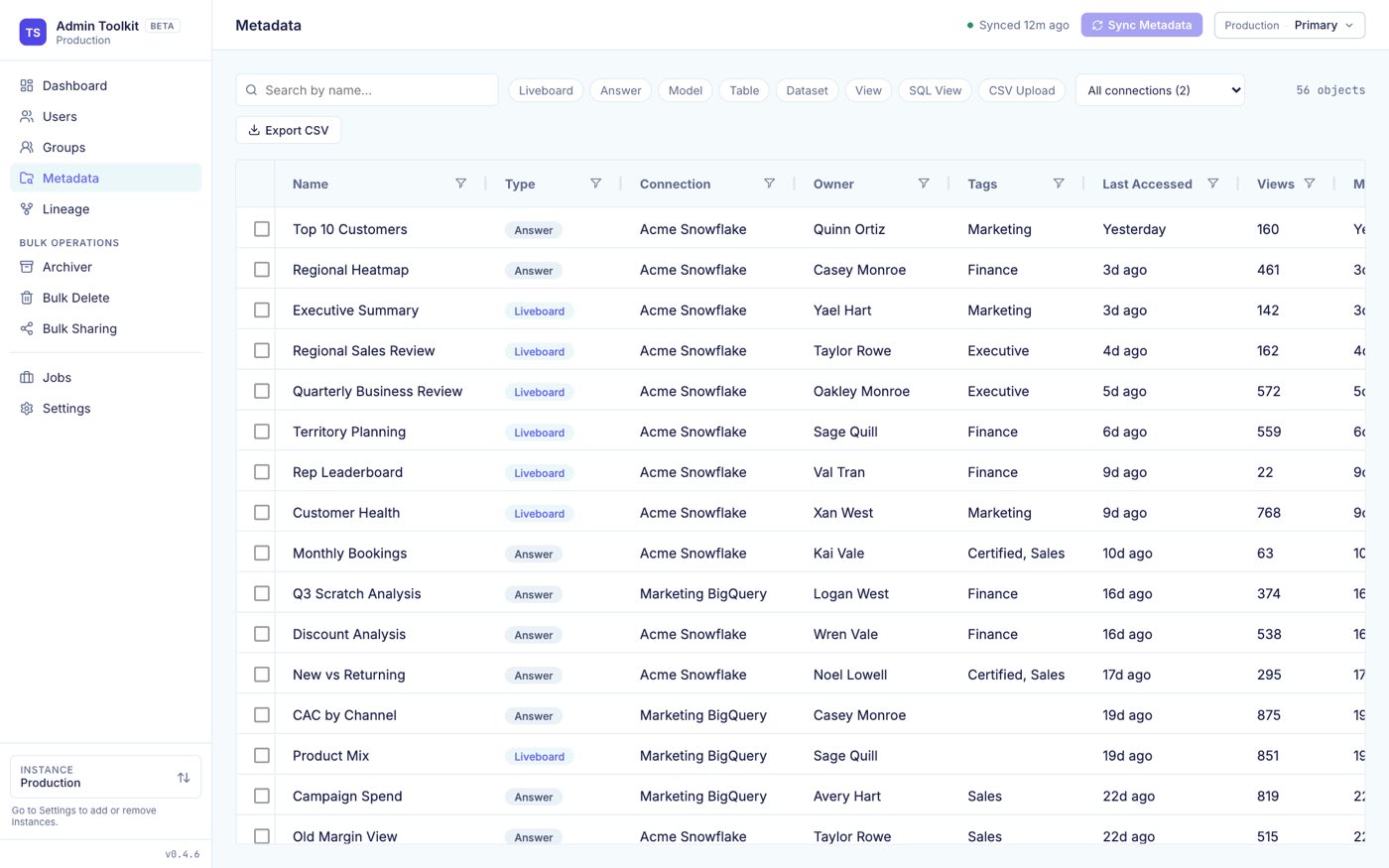
Metadata: all content with type, connection, owner, tags, last accessed and views
MetadataSearch and filter all content by owner, tag, last accessed and views, and export it to CSV.
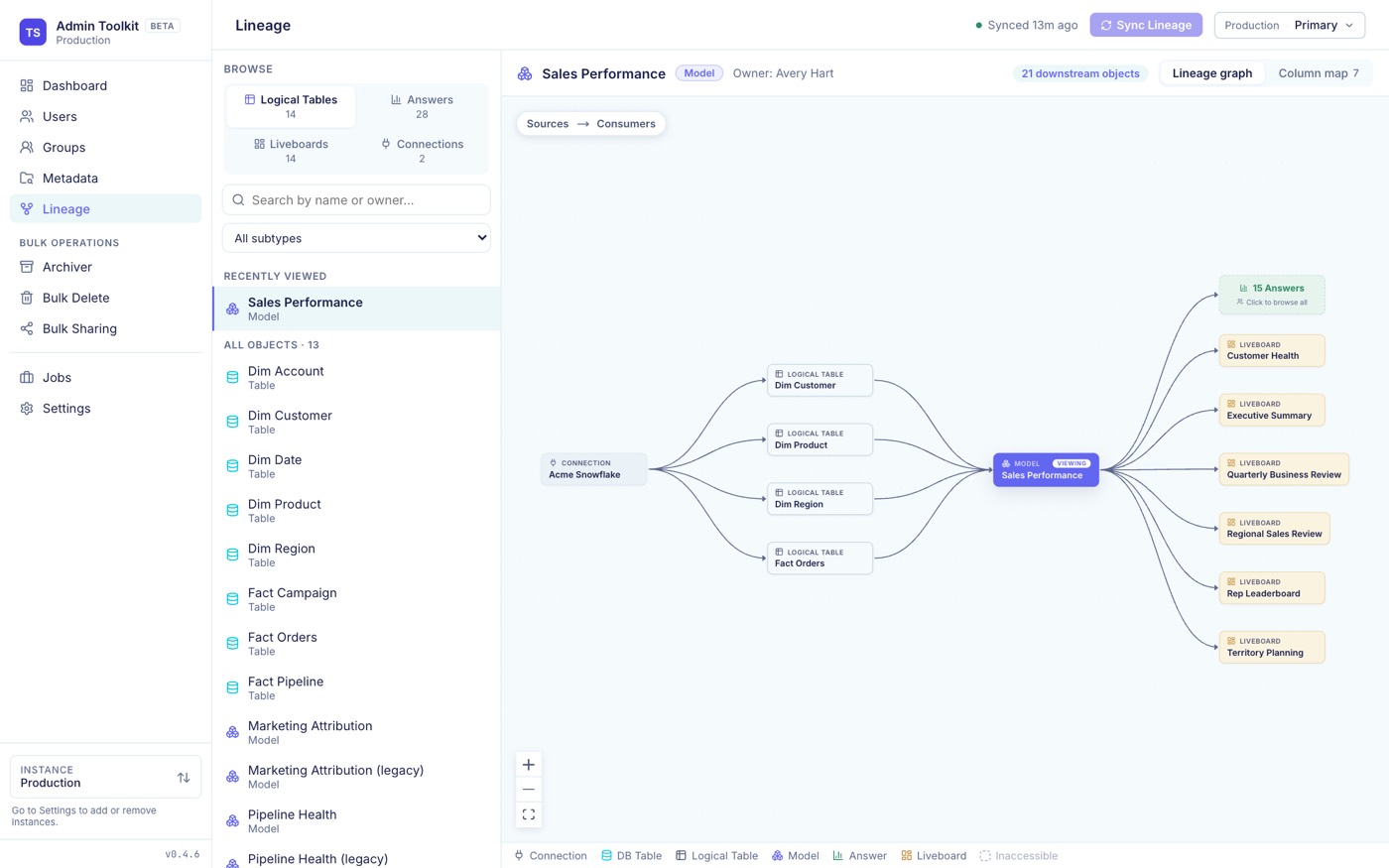
Lineage: a connection feeding logical tables, a model, and the liveboards and answers built on it
LineageA dependency graph, plus column-level lineage from a model column back to its physical table and forward to every consumer.
Bulk DeleteDelete by GUID or search, with dependency resolution.
Bulk SharingShare content to users and groups in bulk, with an impact preview.
GroupsBrowse groups, privileges, members, and who created each group. Read-only.
JobsEvery sync and bulk operation is a tracked background job with live progress.
Multi-instanceSeveral ThoughtSpot instances, each with its own cache, one picker in the sidebar.
DiagnosticsTail logs and download a support bundle with no credentials in it.

Screenshots use sample data.

How it works.

The toolkit talks to the public ThoughtSpot REST API v2 and mirrors users, groups, metadata and lineage into a local SQLite database. Browsing reads the cache. Writes go straight to ThoughtSpot.

Architecture Your browser loads the UI from a local server on 127.0.0.1. The server reads from a local SQLite cache, keeps credentials in the OS keychain, and calls the ThoughtSpot REST API v2 over HTTPS to sync data and to make changes. YOUR MACHINE · 127.0.0.1 Browser localhost:8080 Next.js UI, AG Grid Local server ts-admin-toolkit serve Python, FastAPI background jobs, audit log SQLite cache ~/.ts-admin/ OS keychain credentials ThoughtSpot REST API v2 · HTTPS Cloud or Software your instance browse reads the cache sync, one entity at a time writes go live, after a dry run
Dry run firstEvery destructive action previews its full impact before you confirm.
TML backupDeletions are backed up to ~/.ts-admin/tml-exports/ and can be restored.
Live checkWrites are re-verified against ThoughtSpot at execution time, not against the cache.
Audit logEvery write is recorded.

Install it in one command.

Then run ts-admin-toolkit serve and connect your instance in the browser. Try it on a non-production instance first.